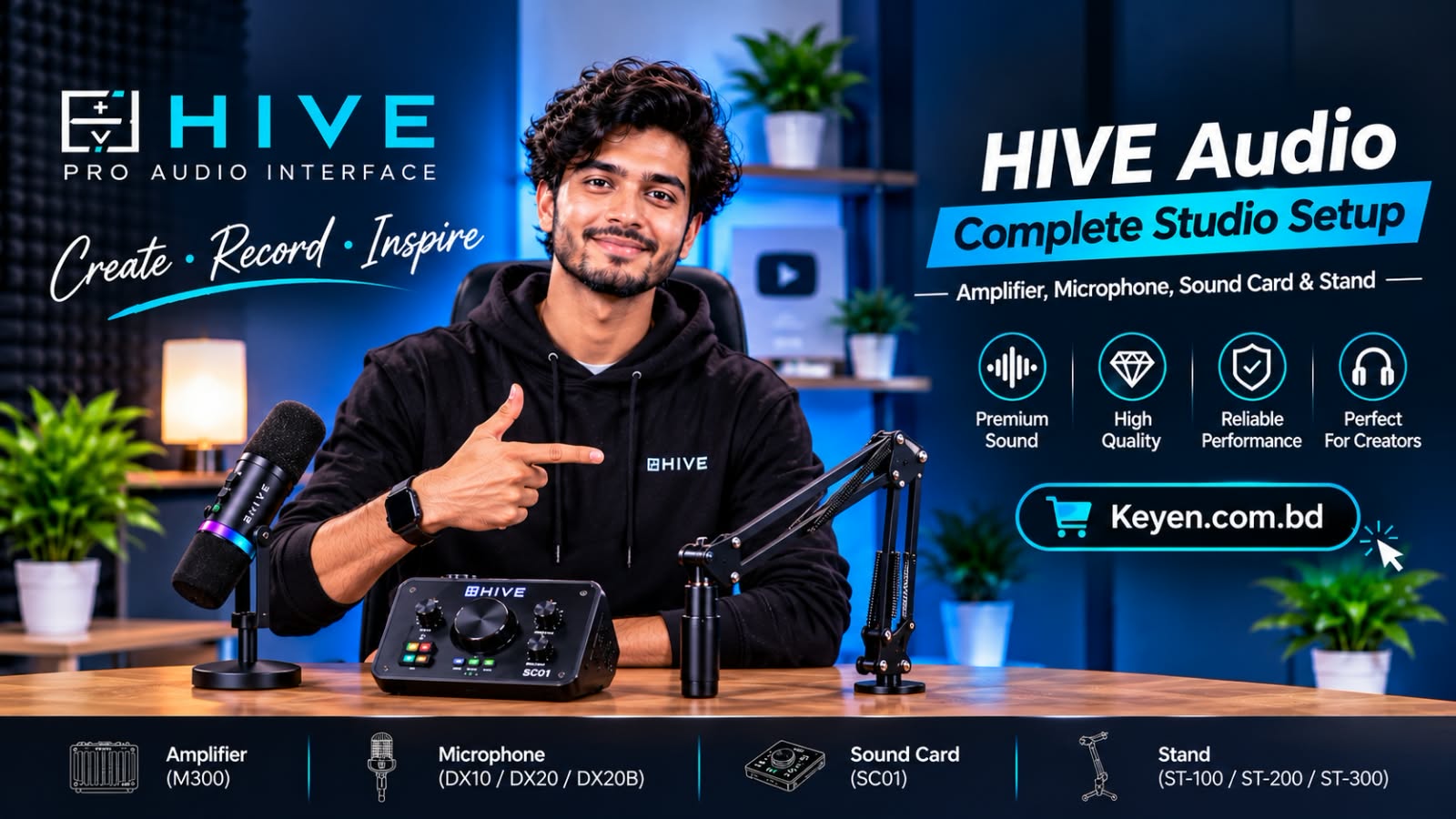
How to Build a Budget Home Studio in Bangladesh
Creating professional-quality videos, podcasts, online classes, and voiceovers no longer requires an expensive recording studio. With the right equipment and a little creativity, you can turn a small corner of your home into a functional content creation studio.
Whether you are a beginner YouTuber, Facebook content creator, TikToker, podcaster, or online educator, building a budget home studio in Bangladesh is easier than you might think.
In this guide, we will explain what equipment you need, how to arrange your studio, and how to get the best results without spending unnecessarily.
1. Choose the Right Space for Your Home Studio
Before purchasing any equipment, select a suitable place in your home.
You do not need a large room. Even a small bedroom or a quiet corner can work perfectly.
Consider these factors:
-
Choose a quiet space away from traffic and household noise.
-
Avoid completely empty rooms because they can create unwanted echoes.
-
Use curtains, carpets, sofas, and bookshelves to reduce sound reflections.
-
Choose a location with enough space for your desk, microphone, and lighting.
-
Make sure you have access to convenient power outlets.
Pro Tip: A quiet room with proper sound control can produce better recordings than an expensive microphone in a noisy environment.
2. Choose the Right Microphone for Clear Audio
Audio quality is one of the most important parts of a professional home studio.
Viewers may tolerate average video quality, but poor audio can quickly make them lose interest.
There are several types of microphones you can consider.
USB Microphones
USB microphones are ideal for beginners because they connect directly to a computer without requiring a separate audio interface.
They are suitable for:
-
YouTube voiceovers
-
Online classes
-
Podcast recording
-
Streaming
-
Video tutorials
Wireless Microphones
Wireless microphones are useful for creators who record videos while moving around.
They are particularly suitable for:
-
TikTok and Facebook Reels
-
Outdoor videos
-
Interviews
-
Product reviews
-
Mobile content creation
XLR Microphones
XLR microphones are suitable for more advanced recording setups. They require an audio interface or compatible mixer.
They offer flexibility for podcasting, voice recording, and music production.
Pro Tip: If you are just starting, consider a suitable USB microphone or wireless microphone instead of investing in an expensive professional audio system.
3. Invest in Proper Lighting
Lighting can make a significant difference in your video quality.
Even a good smartphone camera can produce attractive videos when the lighting is properly arranged.
Here are some useful lighting options:
Ring Light
Ring lights are popular among beginners and social media creators.
They are useful for:
-
Beauty videos
-
Talking-head videos
-
Live streaming
-
TikTok videos
-
Online teaching
LED Video Light
LED lights provide flexible lighting for different recording environments.
You can adjust their position to control shadows and improve the appearance of your videos.
Softbox Lighting
Softbox lights create softer and more diffused lighting. They are particularly useful for YouTube videos, interviews, and product demonstrations.
Pro Tip: Position your main light slightly above eye level and at an angle to your face for a more natural appearance.
4. Get a Stable Tripod or Smartphone Stand
A stable camera position is essential for professional-looking videos.
A tripod helps prevent unwanted camera movement and allows you to maintain consistent framing.
Consider these options:
-
Smartphone tripod for mobile content creation.
-
Adjustable tripod for YouTube recording.
-
Desktop tripod for product demonstrations.
-
Camera tripod for advanced video production.
If you frequently record videos using a smartphone, choose a tripod with a compatible phone holder.
5. Improve Your Recording Environment
You do not need an expensive professional acoustic treatment system to improve your room's sound.
Start with simple solutions:
-
Use thick curtains to reduce reflections.
-
Add carpets or rugs to hard floors.
-
Keep furniture and bookshelves in the recording area.
-
Avoid recording near noisy windows.
-
Position your microphone close to your mouth.
-
Turn off unnecessary noisy appliances while recording.
Remember that soundproofing and acoustic treatment are different. Curtains and soft furnishings can reduce reflections, but they do not completely block outside noise.
6. Essential Accessories for a Budget Home Studio
Apart from the main equipment, a few accessories can make your recording experience easier.
Consider adding:
| Accessory | Purpose |
|---|---|
| Microphone stand | Keeps the microphone stable |
| Pop filter | Helps reduce plosive sounds |
| Headphones | Allows you to monitor recorded audio |
| Phone holder | Keeps your smartphone in position |
| Extension board | Provides convenient power access |
| Memory card | Stores video recordings |
| Cable management accessories | Keeps your workspace organized |
Buy only the accessories that are compatible with your equipment and necessary for your recording workflow.
7. Three Budget-Friendly Home Studio Setup Ideas
You do not need to purchase everything at once. Start with the setup that matches your content creation goals.
Setup 1: Beginner Mobile Creator
Best for TikTok, Facebook Reels, and short videos.
Recommended equipment:
-
Smartphone
-
Wireless microphone
-
Smartphone tripod
-
Small LED light
This setup is ideal for creators who want to start recording videos with minimal equipment.
Setup 2: YouTube and Online Teaching Studio
Best for YouTubers, online teachers, and tutorial creators.
Recommended equipment:
-
Smartphone or camera
-
USB microphone
-
Adjustable tripod
-
Ring light or LED video light
-
Headphones
This setup provides a practical combination of audio and video equipment.
Setup 3: Podcast and Voice Recording Studio
Best for podcasters, voice artists, and interview creators.
Recommended equipment:
-
USB or XLR microphone
-
Audio interface (if using XLR)
-
Microphone stand or boom arm
-
Pop filter
-
Closed-back headphones
-
Suitable acoustic treatment
This setup focuses on clear voice recording and consistent audio quality.
8. How to Save Money When Building a Home Studio
If you are working with a limited budget, smart purchasing decisions are more important than buying expensive equipment.
Follow these tips:
-
Start with the smartphone you already own.
-
Prioritize microphone quality and clear audio.
-
Use natural daylight when possible.
-
Purchase only essential lighting equipment.
-
Improve your room acoustics with existing household items.
-
Upgrade your equipment gradually as your content creation needs grow.
-
Check product compatibility before purchasing accessories.
You can also use free recording and editing software such as Audacity and OBS Studio, depending on your requirements.
9. Where to Buy Content Creation Equipment in Bangladesh?
Finding the right equipment is an important step when building a home studio.
At Keyan Online Shop, you can explore different types of audio, video, content creation, and smart gadget products.
Whether you need microphones, tripods, teleprompters, or other creator accessories, choosing equipment based on your requirements will help you build a more practical setup.
Explore Keyan Online Shop to discover equipment for your next content creation project.
Frequently Asked Questions (FAQ)
1. How much does it cost to build a home studio in Bangladesh?
The cost depends on your recording requirements and equipment choices. A basic smartphone-based setup can be built with a relatively small budget, while a dedicated podcast or video studio requires additional microphones, lighting, stands, and accessories.
2. Which microphone is best for a beginner home studio?
A USB microphone is a practical choice for beginners who record directly on a computer. Wireless microphones are more suitable for smartphone videos and mobile content creation.
3. Can I build a home studio using only a smartphone?
Yes. A smartphone, microphone, tripod, and suitable lighting are enough to start creating videos, tutorials, and social media content.
4. Do I need soundproofing for a home studio?
Not necessarily. Beginners can start by choosing a quiet room and reducing sound reflections with curtains, rugs, and furniture. Professional sound isolation may be necessary for more demanding recording environments.
5. Is a ring light necessary for YouTube videos?
No. Natural daylight or an LED video light can also work well. A ring light is simply a convenient option for many talking-head videos and close-up recordings.
6. What equipment do I need for a home podcast studio?
A basic podcast setup requires a microphone, headphones, and a computer or smartphone. More advanced setups may include an audio interface, microphone stand, pop filter, and acoustic treatment.
Final Thoughts
Building a budget home studio in Bangladesh does not have to be complicated or expensive.
Start with the equipment you actually need, focus on clear audio and proper lighting, and upgrade your setup as your content creation journey grows.
With the right planning, even a small corner of your home can become a productive space for YouTube videos, podcasts, online classes, and professional content creation.
Ready to build your home studio? Explore audio and video equipment at keyan.com.bd and find the right tools for your creative journey.